A point of sale built for busy Maldivian counters
Open a register, serve several customers at once and close the day with a cash count that adds up. Every sale lands in your books or in SAP Business One the moment it is paid.
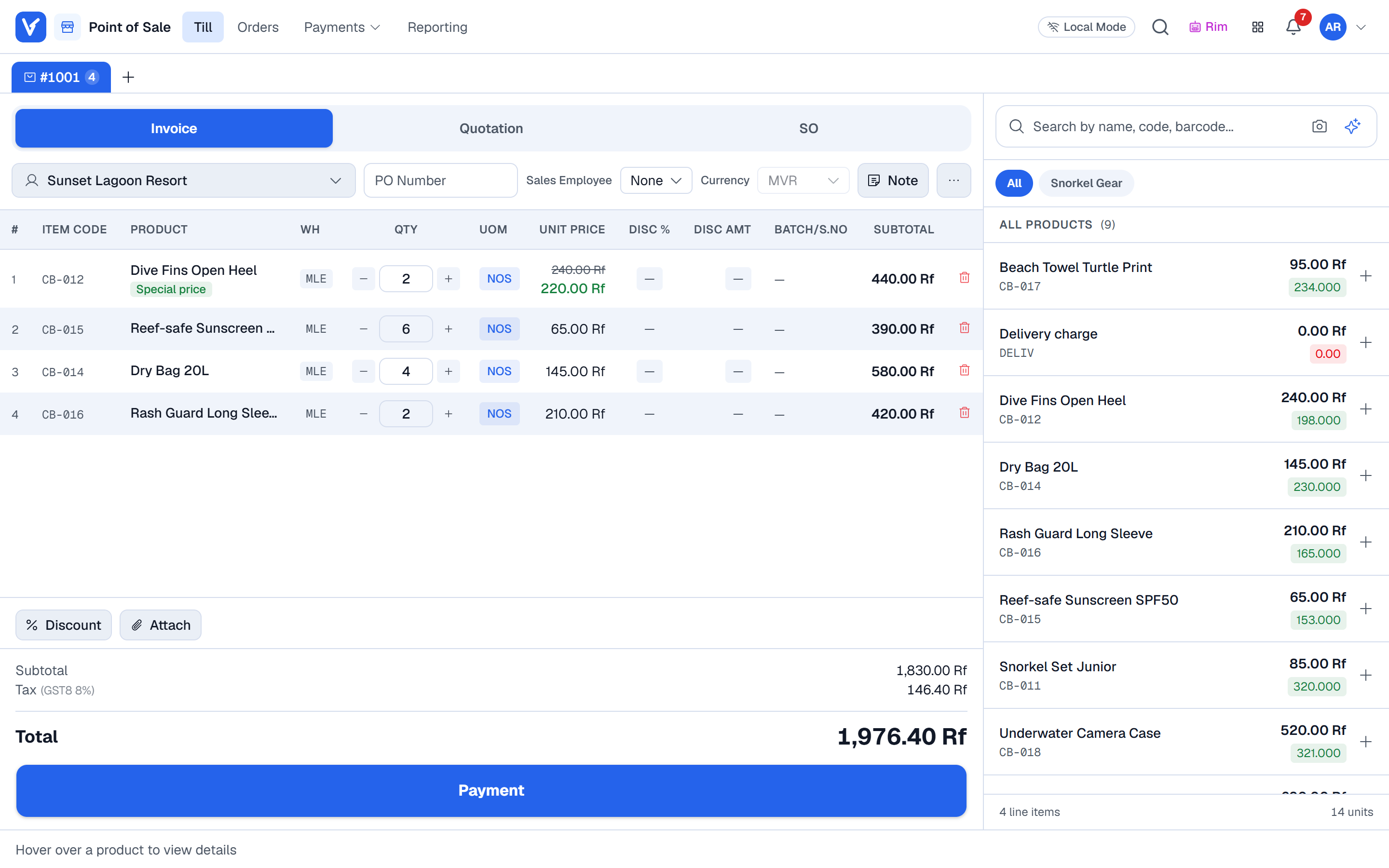
What Point of Sale does
for your business
- 01
Several carts at once
Hold an order while the customer fetches one more item, serve the next person and pick it up again. Carts stay saved per till.
- 02
Split payments
Cash, card, bank transfer, cheque or on account, in any mix. Change is worked out for you and every method goes to its own account.
- 03
Wholesale desk
A separate wholesale screen with price lists per customer, units like cases and dozens, and quotations or sales orders straight from the counter.
- 04
Receipts on paper or by SMS
Print on an 80 mm roll, or send the receipt as a secure link by SMS in English or Dhivehi.
- 05
Returns and exchanges
Find the original invoice, take back what came back and refund the right method. Voided and returned sales never count as paid.
- 06
Register control
Open and close sessions with a cash count, see the difference, and print the shift report the moment the register closes.
Point of Sale
questions
Does the till show live stock from SAP Business One?
Yes. On a company connected live to SAP, the cart reads stock for the line’s warehouse straight from SAP, and says so clearly if SAP cannot be reached.
Can I give quantity discounts automatically?
Yes. Special prices and quantity tiers per price list or customer apply in the cart on their own, with a badge so the cashier can see why the price changed.
Can cashiers give any discount they like?
No. Each user has a maximum discount. Anything above it needs a user who is allowed to approve it.
Works well with
See Voltix with your own products
Tell us how you sell today. We walk you through Voltix on the screens your team would use.