Packages
Pack items into a box with its own barcode, then scan the box to deliver or send all of it at once.
What a package is
A package is a box or pallet of items packed together in one warehouse, with its own number: an 18-digit SSCC. Its label carries that number as a barcode. Scanning the label later adds everything in the box to a delivery, goods issue or transfer in one scan.
Packing does not move stock. The stock moves when the delivery, issue or transfer that takes the package is validated.
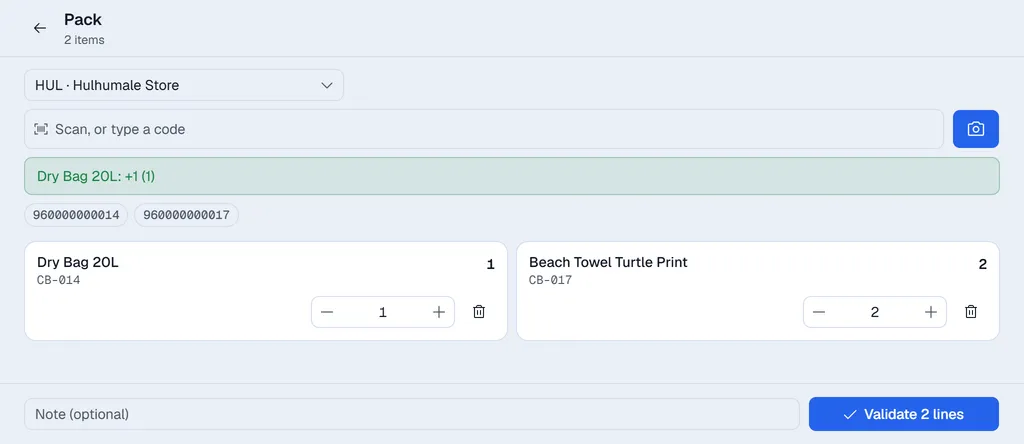
Pack a box
- 1On the home screen, open Pack.
- 2Pick the warehouse and scan what goes into the box.
- 3Press Validate. Voltix gives the package its number.
- 4Press Print labels and stick the label on the box.
Use the package
Scan the package label on a delivery, goods issue or transfer. Every item in it is added at once.
- If the document does not have one of the items, or wants less of it, the whole package is refused and nothing is added.
- When the document is validated, the package is marked as gone out, with the document number. Scanning it again says where it went.
- Scan a package on the home screen to see what it holds.
Package numbers
With your company's GS1 company prefix entered in Settings → Inventory → Barcodes, package numbers are proper GS1 SSCC numbers that other companies' scanners read too. Without a prefix Voltix uses its own numbers, which work inside Voltix only.