Leads
Keep new enquiries apart from the pipeline and convert the good ones.
What a lead is
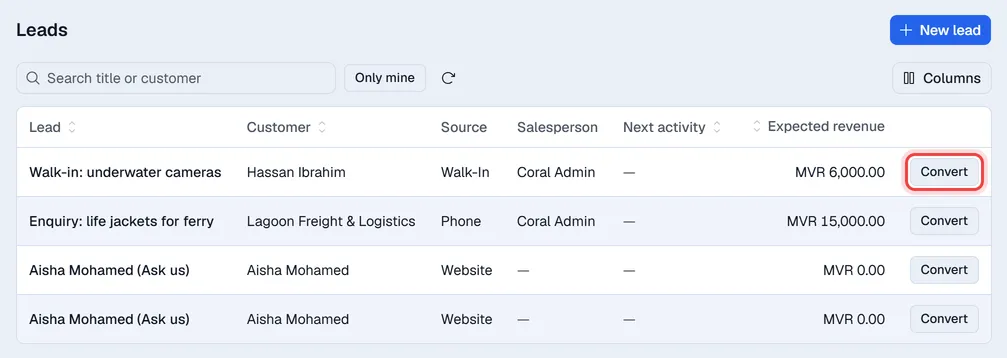
A lead is an enquiry you have not yet decided to work on: a walk-in asking about prices, a phone call, a message from your website. Leads stay under Leads and are not part of the pipeline or its totals.
If your company's website is built in Voltix, a contact form can be set to create a lead.
Add a lead
- 1Open Leads and click New lead. The form opens on the right.
- 2Enter a Title, the customer or contact name, phone, expected revenue and source.
- 3Click Create lead.
Convert a lead
Click Convert on the lead. It moves into the pipeline as an opportunity in the first stage, and keeps its timeline.
Click a lead to open it, for example to plan an activity or add a note before you decide. Convert to opportunity is also at the top of the open lead.