Approvals and credit control
When a discount is larger than a salesperson may give, or a credit sale goes over the customer's limit, the document can wait for an approver before it is created.
When a document needs approval
Two rules on the Rules tab of Settings → Sales can send a document for approval:
| Rule | Sends a document for approval when |
|---|---|
| Discount approval: Ask for approval | A line discount or the document discount is above the salesperson's maximum discount (set on their auth group). |
| Credit control: Needs approval | A credit invoice takes the customer over their credit limit, or the customer has overdue invoices. |
With Discount approval set to Block discounts above the limit, the discount is simply refused instead. With Credit control set to Warn the salesperson, the salesperson sees a Credit check message and may click Post anyway.
As a salesperson
- 1Prepare the document as usual. While you edit, the totals tell you if a discount is above your limit.
- 2Click Create quotation, Create sales order or Post invoice. Instead of being created, the document is Sent for approval and you see why.
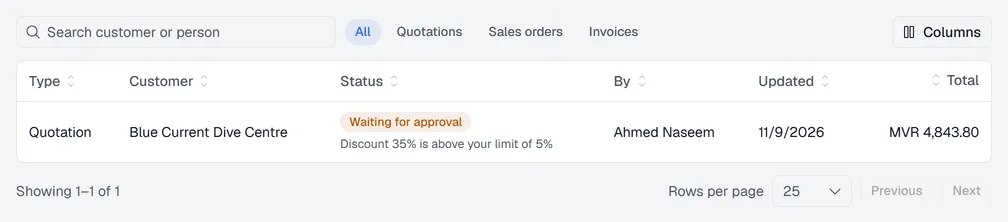
- 3The document waits under Drafts → My drafts with the status Waiting for approval. You can Withdraw it to change it.
- 4When an approver decides, you get a notification on the bell at the top of the screen. - Approved: open the draft and create or post it. Changing it after approval asks for approval again. - Rejected: the approver's reason is shown on the document.

As an approver
You need the Sales: approve permission.
- 1The bell shows a notification for each new request. In Sales, Drafts shows a number when something is waiting; open Drafts → Approvals to see the list.
- 2Open a request to see the full document and the reason it needs approval.
- 3Click Approve at the bottom, or Reject and write the reason the salesperson will see.
Note. You cannot approve your own documents. Another approver has to decide.