Private details and documents
Record personal details and passport, work permit and visa numbers with their expiry dates, and keep scanned documents on the employee. Only people allowed to see private information can open these tabs.
Private
The Private tab holds personal e-mail and phone, address, date of birth, gender, marital status, emergency contact, bank, bank account number and name, and education. To change them, click Edit at the top of the record, fill in the Private section and click Save changes.
Compliance and expiry dates
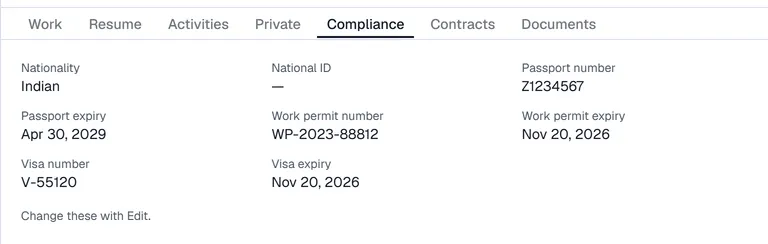
Click Edit and, in the Compliance section, fill in Nationality, National ID, and the number and expiry date of the passport, work permit and visa. Click Save changes.
The expiry dates feed the banner on the Employees screen:

- A document is listed once it is inside the alert window set in Settings → Employees → General (60 days unless changed).
- An expired document shows in red with the date it expired; the others show the days left.
- Archived employees are not listed.
When a new permit or passport arrives, change the expiry date and the line disappears.
Documents
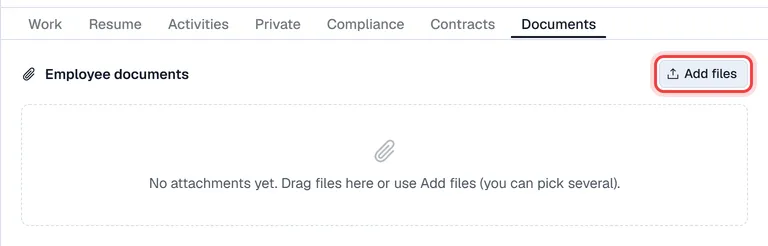
- 1Open the employee and choose Documents.
- 2Click Add files, or drag files onto the list. You can pick several at once.
- 3Give each file a title, for example "Work permit 2026", and confirm.
Click a file to open or download it. Images and PDF files are accepted.
Contracts
Contracts have their own tab with the same visibility. See Contracts.