Build a report with Rim
Ask Rim for a report in plain words; it designs the report and Voltix runs it on your data. Ask again to change columns, period, grouping, pivot or chart.
Ask for a new report
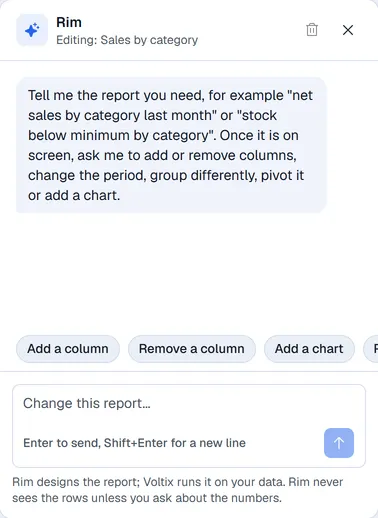
- 1Click New report in the menu at the top (or just type in the Rim pane on the right). On a phone, tap Rim on the report screen.
- 2Describe what you need (the suggestions just above the box start a sentence for you), for example net sales by category last month, top 20 products by quantity this year or unpaid invoices by customer.
- 3Rim builds the report and it runs in the middle of the screen.
Change the report on screen
With a report open, the Rim box says Change this report…. Ask for what you want, for example:
- add the quantity column
- show it by month instead
- make it a pivot of category by month
- add a bar chart
The new version runs at once. Nothing is saved until you click Save.
Ask about the numbers
You can ask Rim a question about the figures on screen, such as which category sold most? Only then does Rim read the summarised table you are looking at.
Note. Rim only designs the report. Voltix runs it on your company's data, with your own access. Rim never sees the rows unless you ask about the numbers.
Start over
The bin icon at the top of the Rim pane clears the conversation. The report on screen stays. The cross hides Rim; the Rim button next to the report brings it back.
If Rim says it is not available, ask your administrator or your Voltix contact.