Mailroom settings
Reminders, the signature rule, item types, couriers, teams and numbering.
Everything is in Settings → Mailroom. Changing it needs Mailroom: settings (administrators always may).
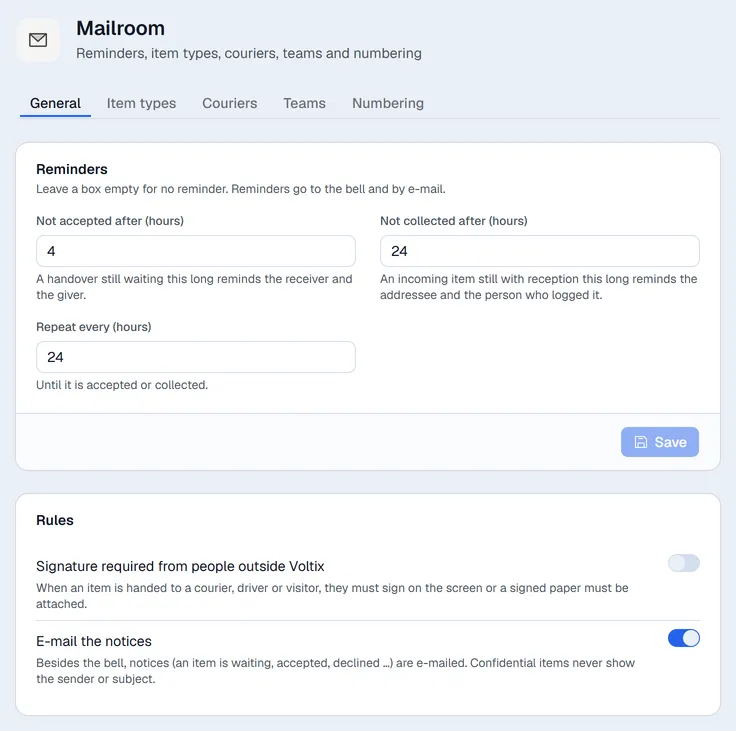
General
Reminders (leave a box empty for no reminder):
- Not accepted after (hours): a handover still waiting this long reminds the receiver, with a copy to the person who handed it over.
- Not collected after (hours): an incoming item still with the person who logged it (never handed on) reminds the person or team it is for, and the person who logged it.
- Repeat every (hours): the reminder comes again until the item is accepted or collected. Empty: once.
Reminders are checked every 15 minutes and arrive on the bell, and by e-mail when that is on.
Rules:
- Signature required from people outside Voltix: an item can only leave with a courier, driver or visitor after they signed on the screen or a signed paper is attached.
- E-mail the notices: besides the bell, notices are e-mailed. Confidential items never show the sender or the subject.
Item types
Letter, Parcel, Document, Package and Cheque are there from the start. Add your own (for example "Contract") and choose whether each type is used for Incoming, Outgoing and / or Internal items. A type is switched off rather than deleted, so old items keep it. Use the pencil to rename a type.
Couriers
Add the couriers you use. The Tracking link is optional: put {tracking} where the tracking number goes, for example https://track.example.com/?n={tracking}. The link must start with https:// or http://.
Teams
Optional. An item addressed or handed to a team can be accepted by any member. Only people who use the Mailroom can be members. Switch a team off when it is no longer used.
Numbering
One series each for incoming (IN-), outgoing (OUT-) and internal (INT-) items: prefix, next number and format. The next number can only go up.