Subscriptions at a glance
Sell plans that bill every week, month, quarter or year. Voltix makes the invoices in advance and follows up unpaid ones.
Show the steps for
What Subscriptions is for
Use Subscriptions when a customer pays the same amount again and again: an equipment care contract, a club membership, a rental of gear by the month. You set up a plan once, give it to a customer as a subscription, and Voltix creates each invoice by itself before the period starts.
Open Subscriptions from your home page. Managers and administrators create and change subscriptions; other users with access can view them.
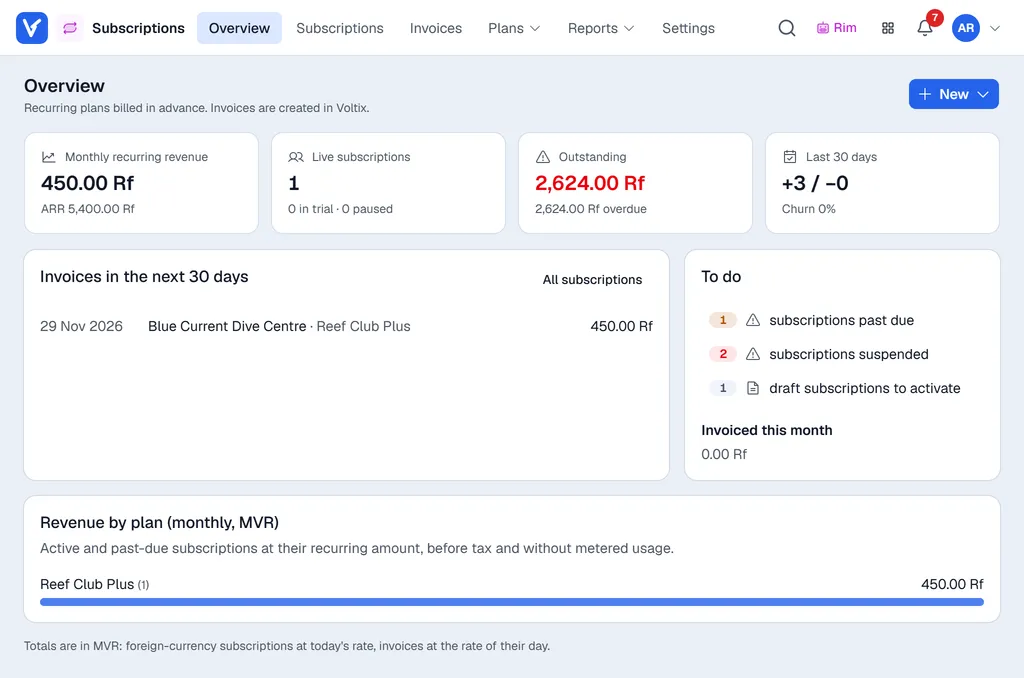
The menus
The menus sit in the bar at the top of the screen. On a phone they are under Menu.
| Menu | What you find there |
|---|---|
| Overview | Monthly recurring revenue, live subscriptions, money outstanding, new and cancelled subscriptions in the last 30 days, the invoices due in the next 30 days, and a To do list (failed invoices, past-due, suspended and draft subscriptions). Click a figure or a to-do line to open the list it counts. |
| Subscriptions | Every subscription, with the filters Live, Active, Past due / suspended, Paused, Drafts, Cancelled / ended and All, and a date range for the start date. |
| Invoices | Every invoice made by Subscriptions, with its posting and payment status. |
| Plans → Plans | The plans you sell. |
| Plans → Invoice templates | How each plan is invoiced. |
| Reports → Revenue | Revenue recognised month by month, for plans billed in advance for a long period. |
| Settings | Managers only: opens Settings → Subscriptions with the numbering, invoicing and payment follow-up rules. |
How it fits together
- 1A manager sets the rules in Settings → Subscriptions. See Set up Subscriptions.
- 2You create an invoice template and plans. See Plans and invoice templates.
- 3You start a subscription for a customer. See Start a subscription.
- 4Voltix invoices each period in advance and watches for payment. See Invoices and payments.
Invoices are created in Voltix as open invoices for the customer, so you take payment in Receive Payments or the POS.
Invoices are created in Voltix as open invoices for the customer, so you take payment in Receive Payments or the POS.
Every invoice is posted to SAP Business One first. The Overview reminds you: Invoices post to SAP first.