Setting up Rentals
Choose your rental periods, put a price and deposit on each rentable product, and set late fees. A one-time job for a manager or administrator.
1. Rental periods
Open Settings → Rental, tab Rental periods. A period is a length of time you charge for, such as Daily or Weekly. Voltix starts you with Hourly, Daily, Weekly and Monthly.
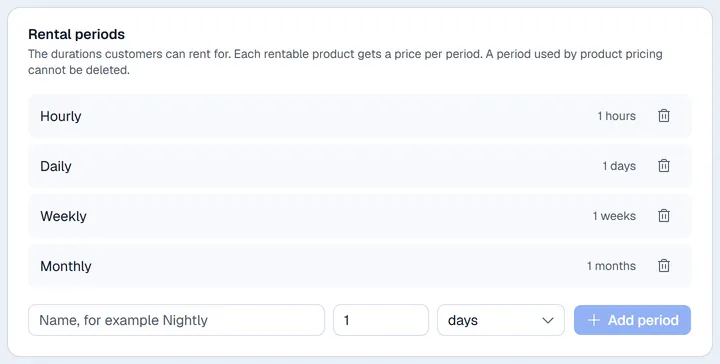
- 1Type a name, for example Nightly.
- 2Enter the duration and pick the unit (hours, days, weeks, months or years).
- 3Click Add period.
A period that a product already has a price for cannot be deleted.
2. Prices and deposits on products
Rental prices live on the product, in Inventory (the Rentable items button in the Rental app takes you there).
- 1Find the product. The Rentable filter above the list shows only products that can already be rented.
- 2Click … at the end of the product's row and choose Rental pricing. On a wide window you can also click the key icon in the product's Flags column.
- 3In Rental pricing, pick a period and enter its price. Use Add a price for more periods.
- 4Enter the Deposit per unit: the deposit asked for each unit rented.
- 5Click Save and mark rentable.
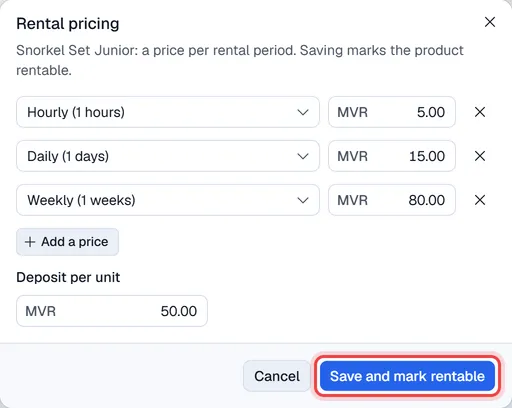
The key icon in the Flags column is filled in on rentable products. Open Rental pricing again to change the prices.
How many units you can rent out is the product's stock quantity.
3. Late fees, padding and deposits
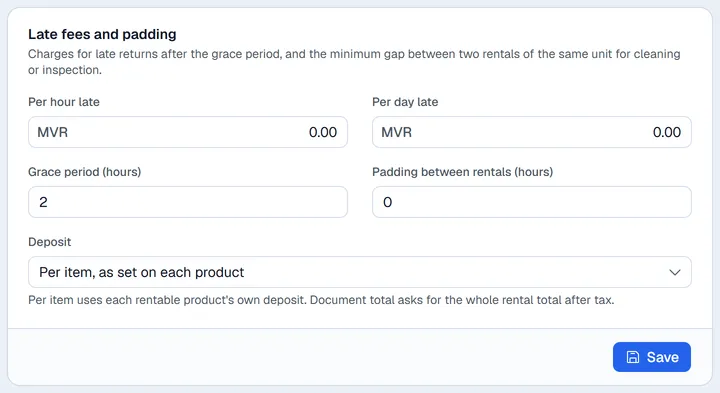
Tab Late fees & padding:
| Setting | What it does |
|---|---|
| Per hour late / Per day late | The charge for a late return. Full days late are charged at the day rate, the hours left over at the hour rate. |
| Grace period (hours) | How long after the return time before a late fee starts. |
| Padding between rentals (hours) | A gap kept free before and after each rental (for cleaning or checks) when Voltix works out what is available. |
| Deposit | Per item, as set on each product, or Document total (after taxes): the deposit is the whole rental total including tax. |
Click Save.
4. Numbering
Tab Numbering sets the prefix, next number and format of rental order numbers (for example RNT-00001).