Partner groups and payment terms
Administrators set up partner groups and payment terms once, in Settings.
Show the steps for
With SAP, partner groups and payment terms come from SAP and cannot be changed in Voltix.
Partner groups
Groups help you organise partners, for example Resorts & hotels or Equipment suppliers.
- 1Go to Settings → General and open the Partner groups tab.
- 2Click Add group.
- 3Enter a Group name, an optional Description, the Group type (Customer Group, Vendor Group or Customer & Vendor Group) and a Color.
- 4Save.
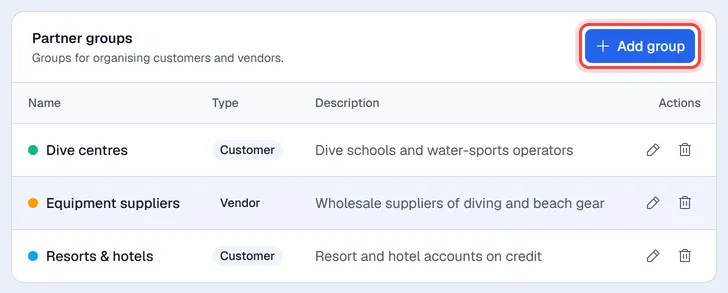
Use the pencil to change a group and the bin to delete it.
Payment terms
On the same tab, below the groups, the Payment terms card lists the terms you can give partners.
- 1Click Add payment term.
- 2Enter a Name, for example Net 30, and the Additional months and Additional days.
- 3Save.
The new term then appears in the Payment terms list of the partner form.