Invoicing a rental
Bill the rental for the time the items were actually out, add any late fee, set the deposit against it and take the rest.
Show the steps for
You can invoice a rental once it is reserved, picked up or returned. Each rental is invoiced once.
- 1Open the rental and click Make invoice (the To invoice filter lists every rental still to bill).
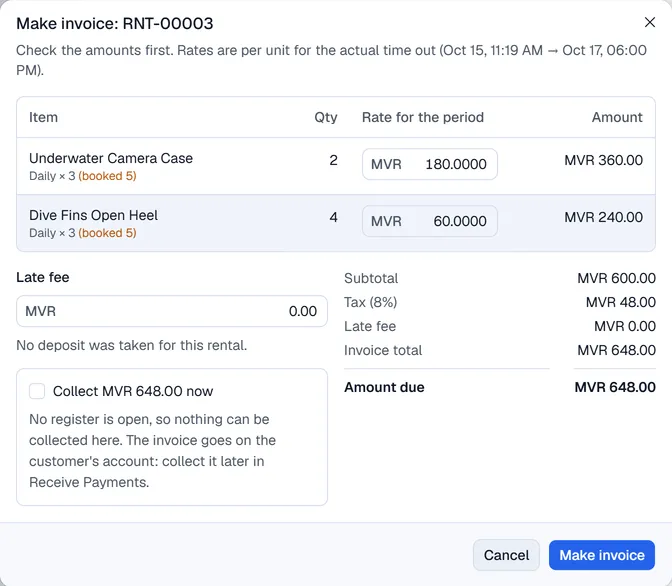
- 2Check the lines. The Rate for the period is the charge per unit for the time the items were actually out (pickup to return). If that differs from the booking, the line shows (booked …). You can change the rate.
- 3Check the Late fee.
- 4If a deposit is held, leave Use the held deposit … for this invoice ticked to take it off the bill.
- 5Amount due is what is left. Tick Collect … now, pick the payment method and add a reference if needed.
- 6Click Make invoice.
The invoice is saved in Voltix with the terminal's invoice numbering. Find it in the Point of Sale orders; if it was not fully paid, collect the rest in Receive Payments.
The invoice is posted to SAP Business One first. If SAP refuses it, nothing is saved and the error is shown; fix the problem and try again. The rental then shows the SAP invoice number.
After invoicing, the rental shows a green Invoiced badge and the invoice number. If deposit is left over after the invoice, give it back at the return with Deposit to give back.